Reading time: minute(s)
 Deutsch
 English
Create a price model
Regardless of the total cost of a route (which is determined by the cost profile, fuel costs, and tolls), you can use a price model to calculate cost surcharges and apply them when preparing a quote.
You can set freight surcharges per stop and kilometer-based surcharges based on a price list. You also have the option of having surcharges calculated using a tariff zone model.
Note: To ensure that the surcharges are calculated according to the price model, the price model must be assigned to the desired vehicle!
|
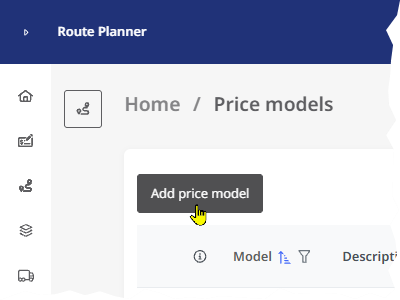
To create a new pricemodel, click the <Add price model> button in the "Price Models" module. The "New Price Model" window opens. |
|
 Basics
|
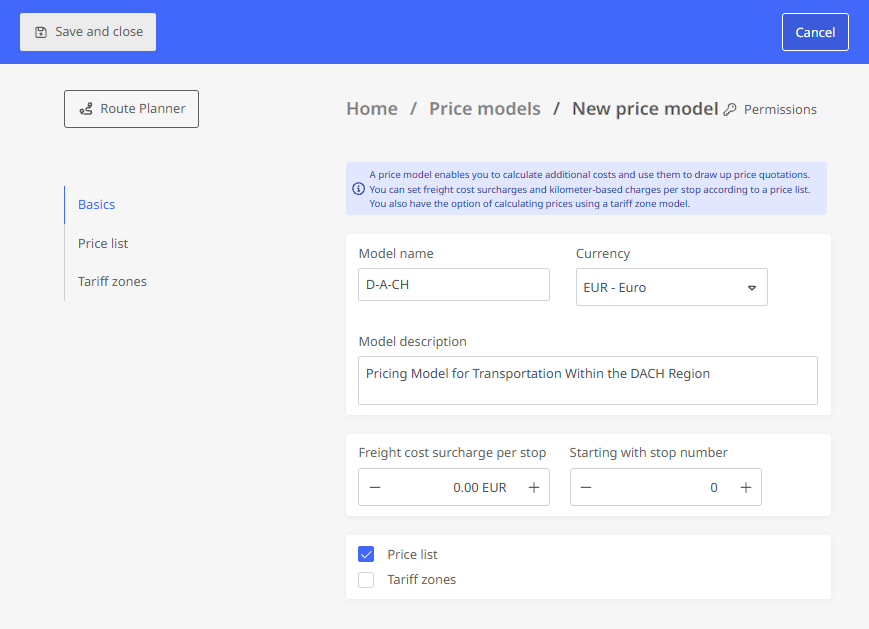
In the "Basics" section, you specify:
|
|
Price list
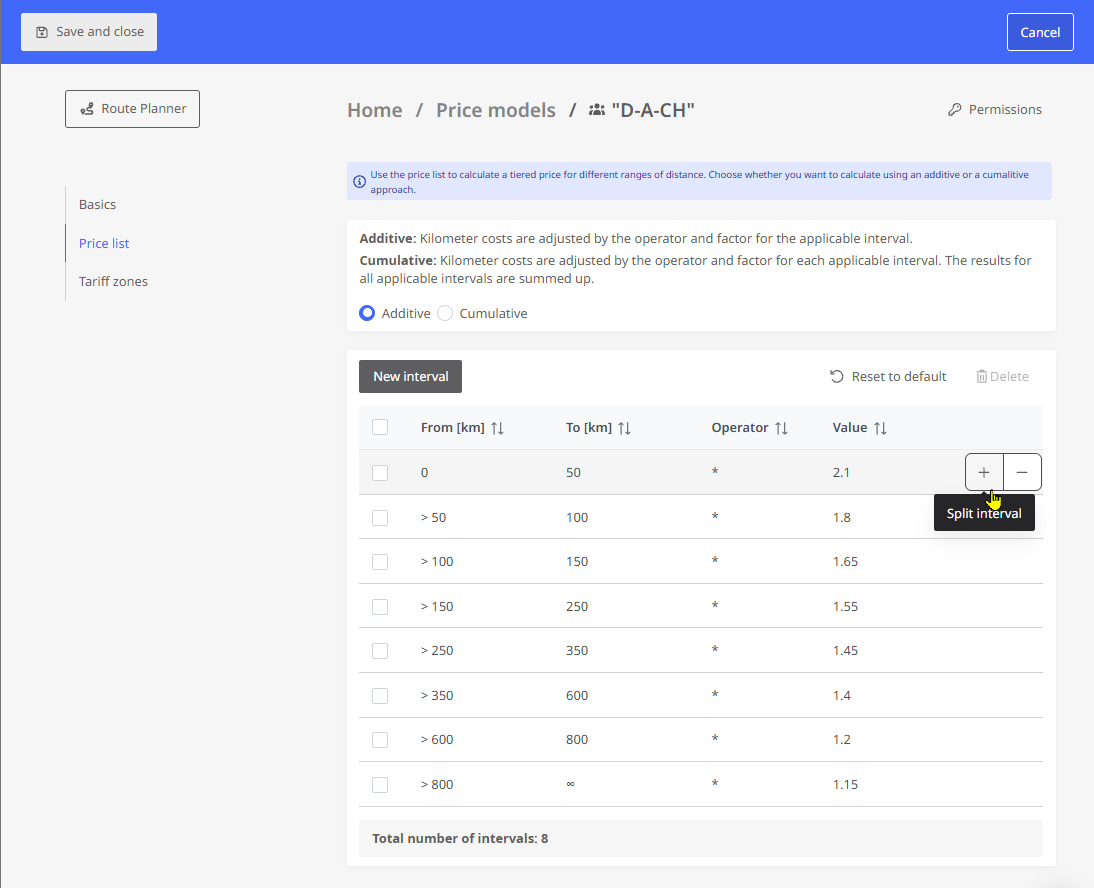
In the “Price List” section, you can adjust or create new kilometer ranges (Intervals) in the table and specify the operator and value.
You also specify whether the intervals are additive or cumulative.
-
If the “Additive” option is enabled, an offer price is calculated as follows:
Distance * Cost per km in EUR * Factor for the corresponding interval
Example: You are driving from Berlin to Munich, a distance of 590 kilometers. The cost per kilometer is set at 2 EUR in the vehicle's cost profile. In the assigned price list, a factor of 1.4 is specified for the 350- to 600-kilometer range. The quoted price according to the price list is calculated as follows:
Distance * Cost per km in EUR Operator Value for the interval Result 590 km * 2 * 1.4 1,652 EUR Note: The “Additive” option can only be used to calculate a quote if a cost profile has been assigned to the vehicle and the route cost per kilometer is specified in that profile.
-
If the “Cumulative” option is enabled, the surcharge is calculated separately for each interval “passed through,” and the values for each interval are added together. The calculation is then as follows:
Interval 1 * factor/km for Interval 1 + Interval 2 * factor/km for Interval 2 + Interval 3 * factor/km for Interval 3 + ...
Degrees: If you calculate the price list on a cumulative basis, the variable costs (EUR/km) from the cost profile are not taken into account. Instead, the number in the “Value” column corresponds to the cost per km used in this interval
Example: You are driving from Berlin to Munich, a distance of 590 kilometers. The cost per kilometer is set at 2 EUR in the vehicle's cost profile. In the assigned price list, a factor of 1.4 is specified for the 350- to 600-kilometer range. The quoted price according to the price list is calculated as follows:
Interval kilometers driven Operator Value for the interval Result 0 to 50 km 50 km * 2.10 EUR/km 105 EUR 50 to 100 km 50 km * 1.80 EUR/km 90 EUR 100 to 150 km 50 km * 1.65 EUR/km 82.50 EUR 150 to 250 km 100 km * 1.55 EUR/km 155 EUR 250 to 350 km 100 km * 1.45 EUR/km 145 EUR 350 to 600 km 240 km * 1.40 EUR/km 336 EUR Total 590 km 913.50 EUR If the route is calculated using a vehicle assigned to this price model, the surcharge is displayed in the route planning results on the “Pricing” tab.
Create/Edit Price List
|
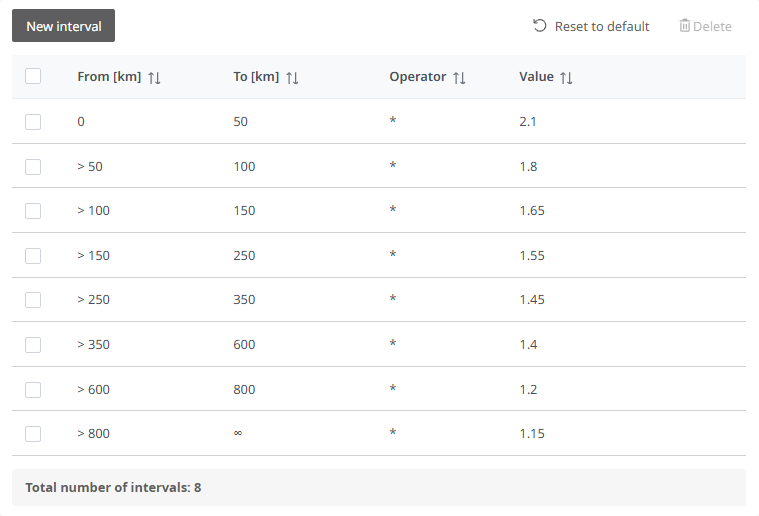
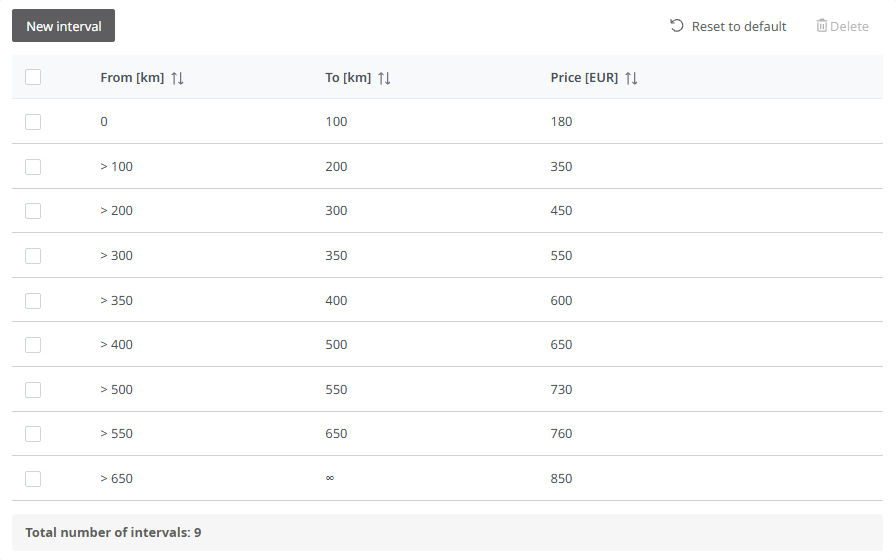
When you create a new price model, a price list with default values is automatically created.
|
|
-
If, when you enter a value in the “From [km]” column, the start of the interval becomes higher or lower than the end of the previous interval, the “To [km]” value for the preceding interval is automatically adjusted—provided you use the <Tab> key to move through the subsequent fields. Otherwise, the gap may not be closed. In this case, a message above the list will alert you to this.
-
Use the <Reset to default> button to discard your changes to the price list and return to the original list with default values.
Tariff zones
|
The tariff zone model allows you to calculate surcharges based on tariff zones. In the “Tariff zones” section, you can adjust or create new kilometer ranges in the table and set the values. Example: You are driving from Berlin to Munich, a distance of 590 kilometers. You have set a surcharge of 760 EUR for the tariff zone ranging from 550 km to 600 km. After the route is calculated, a price of 760 EUR is displayed for a route that is 590 km long. |
|